IGNOU Grade Card Status 2026: Check Online & Updates
Mar 31, 2026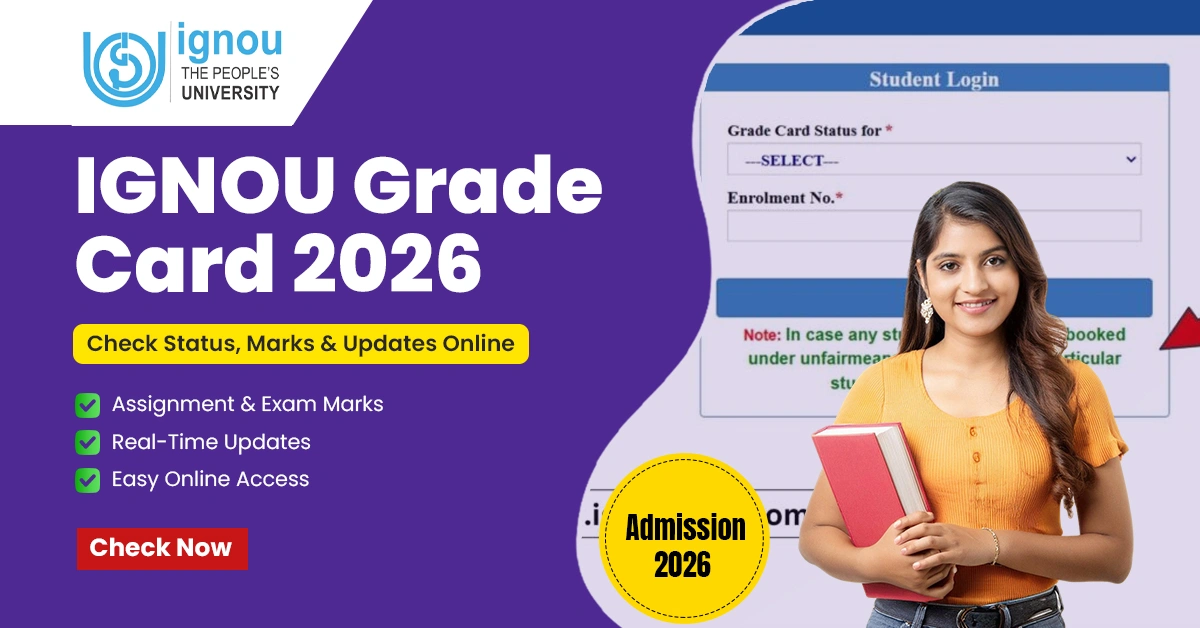
IGNOU has made education flexible and available to millions across India today through an expansive network of learning opportunities. However, throughout the academic journey of the candidates, there remains one question for each student "How well am I performing academically?" The answer to this question exists in the Indira Gandhi National Open University Grade Card, the academic mirror of you. The IGNOU Grade Card is not like traditional report cards instead, it's dynamic. It updates periodically and best of all it's available in online mode.
As of 2026, the broad system within which grade cards now exist is much improved and provides faster updates as well as a clearer picture of the current status of a student's grades. Whether you're a first-year student who wants to keep track of your homework or a final year student just waiting for your graduation, understanding how to read your grade card is important. This article will explain what a grade card is, how to obtain your grade card, the meaning of each of the different status levels on a grade card and ways to address issues related to your grade card. You will leave this article not only knowing how to check your grade card but also how to smartly interpret that information for the purposes of planning your academic future.
Get Free Consultation
Still not got the information you are looking for? Get free consultation now from our experts.
Get Free ConsultationWhat is the IGNOU Grade Card?
IGNOU's Grade card offers an overview of the success of an individual with enrolment at Indira Gandhi National Open University that combines all achieved marks from different methods of assessment such as Assignment Completion or submission of information, End-of-Term Examinations, Practical Experience and Project Work into one report accessed via the Official Website. It is updated frequently, allowing learners to monitor their progress throughout their Enrollment through each method of assessment. It also gives learners an idea of whether they have passed, maintained progress or have any outstanding work left before they successfully complete their course.
Requirements to Check IGNOU Grade Card Status
- Enrollment Number:- You must have your enrollment number, which was given to you when you enrolled in your course.
- Program Details:- You must know what course you have enrolled in. For example, it could be BA, B.Com, MA, MBA, or a diploma/certificate course. This information will be available in your grade card.
- Official Website Access:- You must access the official website to get your grade card. The website to access the grade card is gradecard.ignou.ac.in. You must make sure that you have accessed the right website to avoid confusion.
- Stable Internet Connection:- Since the grade card will be available online, a stable internet connection will be required to access it.
- Correct Credentials:- You must enter your enrollment number correctly. If the enrollment number is entered incorrectly, your grade card will not appear.
- Updated Records:- You must ensure that your assignments, practicals, and term-end exam results have been submitted. Only then will your grade card display the correct information.
- Device (Computer/Mobile):- You can access your grade card through your mobile device or computer. The only thing to ensure is that your browser must be updated.
How to Check IGNOU Grade Card Online
Step 1- Go to the Official Website
To access the IGNOU official website, open your web browser and type in the URL www.ignou.ac.in in the address bar to find all services needed by students.
Step 2- Accessing the Student Zone
Once you are on the IGNOU home page, scroll down to locate the tab labelled "Student Zone." This is where you will find all student academic services including results, assignments, and other academic materials.
Step 3- Click on Results
Once you are within the "Student Zone" of the Ignou home page, you will see a tab labelled "Results." Click this tab in order to continue.
Step 4- Select Grade Card
Under the Results section, there will be several different selections of results (i.e. Term-End Results, Revaluation, and Grade Card). Select the option for "Grade Card".
Step 5- Enter Your Enrollment Number
After clicking the ‘Next’ button, you will come to a screen where you enter your enrolment number (UNIQUE Student Number). It is very important that you enter the number correctly, as this is required for your enrolment information to be processed accurately.
Step 6- Select Your Program
Under the area where you have selected to be enrolled, on the right side of the section is a drop-down menu box. Select the program that corresponds to your Registration ( BA, B.Com, MBA, MCA, etc.) this will help ensure that your grade card is sent to the correct address when it is ready to be sent out.
Step 7- Submit the Information
Once you have completed Step 6 form by inputting your enrollment number and selecting the appropriate program, click the “Submit” button.
Step 8- View Your Grade Card
Your grade card and final scores for all assignments, end of term exams, practicals, and project work will be displayed on your screen.
Step 9- Download
You can also download the grade card in PDF format. This is essential in case you need to present evidence of your grades.
Details Mentioned on the IGNOU Grade Card
| Section | Information Provided |
| Enrollment Number | Unique student ID |
| Program Name | Course/program enrolled |
| Assignment Marks | Scores for submitted assignments |
| Term-End Exam Marks | Scores for written exams |
| Practical/Project | Marks for lab work or projects |
| Overall Status | Pass/Fail/Incomplete |
Understanding IGNOU Grade Card Status
The IGNOU grade card status basically tells you the status of course work as well as whether it is completed or not. Essentially speaking, the system will notify students of any coursework that still may need to be turned in during the course of that student's completion of that particular course. By checking the status regularly, students can ascertain what they still need to do to finish their program.
When Does IGNOU Update Grade Cards?
It is usually updated once the evaluation of the assignments, practicals, and term-end examinations is over. However, it does not happen instantly, as the university takes some time to update the marks of each student. Usually, grade card updates happen in phases. For example, assignment marks are updated first, followed by the results of the examinations. Students should regularly check the official grade card portal of IGNOU. It usually takes some weeks or even a few months for the grade card to be updated, depending on the course.
IGNOU Grade Card Update Schedule 2026
| Component | Expected Update Window | Details |
| Assignment Marks | 2-4 weeks after submission | Marks for assignments are usually uploaded first, once the evaluation is done. |
| Term-End Exam | 4-6 weeks after exams | Exam scores are added in batches after results are declared. |
| Practical/Project | 6-8 weeks after evaluation | Updates may take longer, especially for specialised courses. |
| Final Grade Card | After all components updated | Shows overall completion status once assignments, exams, and projects are processed. |
Get Free Consultation
Still not got the information you are looking for? Get free consultation now from our experts.
Get Free ConsultationWhy is the IGNOU Grade Card not updated?
- Pending Assignment Evaluation:- The grade card might not display the latest marks, considering that assignments have not yet been evaluated and uploaded by the university.
- Delays in Processing Examination Results:- The results of the term-end examination need to be evaluated and verified, which sometimes leads to delays in the update of the grade card.
- For courses involving projects or practicals, the grade card will not be considered complete until these aspects have been evaluated.
- Technical Issues on the Portal:- Sometimes, there might be technical issues or server problems with the IGNOU website, which might hinder the update of the grade card.
- Phased Process of Updates:- The update of the grade card might be in phases, with assignments being updated first, followed by examination results and project evaluation.
- Incorrect Enrollment Information:- If incorrect enrollment information, like the enrollment number or program code, is entered, the update might not appear.
Common Issues & Solutions in IGNOU Grade Card
The common issues and solutions related to the IGNOU grade card are given in the table below.
| Common Issue | Possible Reason | Solution |
| Delay in Grade Card Update | Evaluation process not yet completed | Wait for official updates; check after 2-3 weeks regularly. |
| Marks Not Showing | Assignment or exam results not been uploaded | Contact your regional center or submit proof of assignment submission. |
| Wrong Marks Displayed | Data entry error during evaluation | Raise a query through IGNOU’s grievance portal or contact the exam division. |
| Result Not Declared | Pending evaluation or technical delay | Keep checking the portal; results are usually updated in phases. |
| Assignment Status “Not Submitted” | Assignment not received or uploaded late | Re-submit assignments at your study centre and confirm receipt. |
| Incomplete Status | Either the exam or the assignment was not cleared | Reappear in the exam or resubmit assignments to complete the course. |
IGNOU Assignment Marks Not Updated - What to Do?
- Ensure that you have submitted all your assignments on time.
- Be patient while it is processed, as marks are entered over a period of time.
- Check the IGNOU Grade Card official site to see if you have received any marks.
- If you haven’t received them after waiting several weeks, contact both your nearby study centre and the IGNOU help desk.
How to Apply for IGNOU Grade Card Revaluation
- The first step is to visit the IGNOU website and download the revaluation form.
- The next step is to fill in the details such as enrollment number, program code, and subject.
- The third step is to pay the fee for revaluation through various payment options.
- The fourth step is to submit the form online or at the regional center within a stipulated time period.
- The last step is to keep a copy of the receipt for future reference.
IGNOU Revaluation Fees & Result Time
| Detail | Information |
| Revaluation Fee | INR 750 per subject (subject to official updates) |
| Payment Mode | Online or Demand Draft |
| Result Declaration | Usually within 30-45 days after application |
Minimum Passing Marks
As stated by Indira Gandhi National Open University (IGNOU), a student must achieve a 40% in each assessment component before passing the course. There are three assessments and these include, average of assignments, average of term-end examination results, and average of practical/project assessments. If a student completes all three assessment types successfully, then he or she will have learned through the processes defined by the IGNOU and thus will have successfully completed their course.
| Component | Minimum Passing Marks | Notes |
| Assignments | 40% | Students must score at least 40% in each assignment to pass. |
| Term-End Exams | 40% | A minimum of 40% is required in each subject’s written exam. |
| Practical/Project | 40% | For courses with practicals or projects, 40% is the passing requirement. |
| Overall Requirement | 40% in both components | Students must clear both assignments and exams separately to pass a course. |
IGNOU Grade Card versus IGNOU Result
| Feature | IGNOU Grade Card | IGNOU Result |
| Purpose | Shows detailed marks for assignments, exams, practicals, and projects. | Declares the final outcome of exams (Pass/Fail) for a term or program. |
| Updates | Updated continuously as evaluation progresses. | Released only after completion of evaluation for a term. |
| Details Provided | Breaks down marks subject-wise and component-wise. | Provides overall marks and status without detailed breakdown. |
| Accessibility | Available online anytime using enrollment number and program details. | Published officially on the IGNOU results portal after exams. |
| Usefulness | Helps track progress and pending requirements. | Confirms final academic performance for that exam cycle. |
| Frequency | Updated multiple times during the evaluation process. | Declared once per exam cycle (June or December). |
Tips for IGNOU Students
- After you have taken the test or submitted your assignment it is suggested that you log back into the grade card portal frequently to see your grades.
- After every change to your grade card, you should have a record (printed or saved) of your grade card to demonstrate your progress.
- Your grades on the grade card may not show up if the assignment is submitted late.
- Look for “Completed”, “Not Completed”, or “Result Not Declared” to track where you are with your exams and assignments.
- If you have not received or have received incorrect grades, then to report your issue, contact your Study Centre or Regional Centre as soon as possible.
- You will want to review your last grade card so that you can find areas that need improvement before you take your next exam.
- Your nerves may take over but it will take some time for your final examination grades to be recorded, so check back from time to time.
IGNOU Grade Card Help Desk & Contact Details
| Support Type | Details |
| Email Support | [email protected] |
| Phone Support | 011-29572210, 011-29572211 |
| Regional Centers | Students can visit their nearest IGNOU regional center for assistance |
| Official Website | ignou.ac.in |
Conclusion
The IGNOU Grade Card is much more than a paper-based record of your performance. It is a complete guide to your academic progress as a student. The Grade Card includes all assignment grades, term-end exam grades, practical coursework grades, and project work grades in one single source. It will allow you to keep track of your academic progress more easily. You can learn how to access the Grade Card online, check your current status, and resolve common problems by having the following information. The availability of improved online grade card systems as of 2026 has allowed for greater efficiency and transparency within this system, which allows students to efficiently monitor their performance and plan for future study
Get Free Consultation
Still not got the information you are looking for? Get free consultation now from our experts.
Get Free ConsultationPratyush Mishra
I'm Pratyush kr. Mishra a SEO professional and writer with over 3 years of experience in the EdTech and education industry. I specialize in creating content that guides students with accurate information about admissions, entrance exams, scholarships, and course details—whether it’s for distance, regular, or online universities. Through my content and counseling support network, I've helped various students choose the right career path. With a strong background in SEO and digital marketing, I ensure that students get timely and trustworthy updates to make informed decisions about their education and future.
